
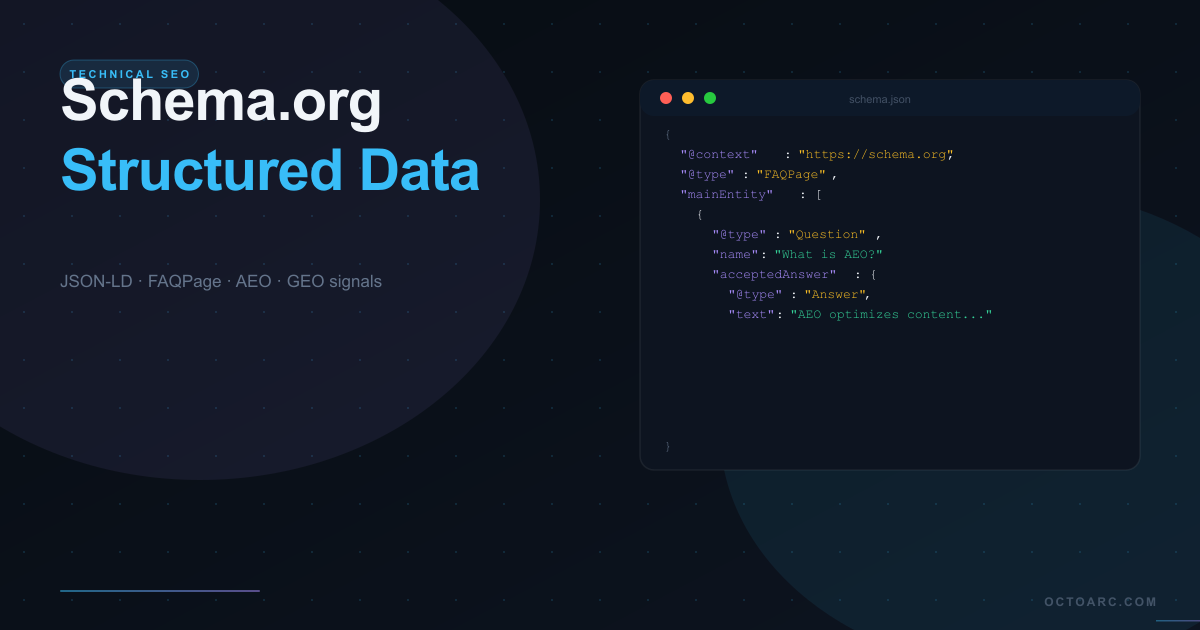
Schema.org structured data tells search engines and AI systems what your content means, not just what it says. A page about "how to reset a WordPress password" contains the same words whether it's from a beginner's blog or the official WordPress documentation. Schema markup is how you tell Google which one you are, what type of content it is, who wrote it, and what specific entities and facts it covers. This semantic layer has become the most important technical SEO investment you can make on a WordPress site in 2026.
What Is Schema.org and Why Does It Matter?
Schema.org is a shared vocabulary of structured data types, maintained collaboratively by Google, Microsoft, Yahoo, and Yandex. It provides standardized labels for virtually every type of content — from articles and products to events and recipes. When you apply Schema.org markup to your pages in JSON-LD format, search engines can parse the meaning of your content without ambiguity.
The SEO benefits are concrete. Pages with correct Schema markup can earn rich results — star ratings in search snippets, FAQ dropdowns, How-To steps, product pricing, event dates, and review counts — that dramatically increase click-through rates. Beyond visual rich results, structured data is also the primary input for AI systems performing Answer Engine Optimization (AEO) extraction and Generative Engine Optimization (GEO) citations.
JSON-LD vs Microdata vs RDFa
Google recommends JSON-LD as the implementation format for structured data. JSON-LD (JavaScript Object Notation for Linked Data) is injected as a script block in the page head, completely separate from the visible HTML. This makes it easy to add and maintain without modifying your content markup. Microdata and RDFa embed the schema attributes directly into HTML elements — more brittle, harder to maintain, and no longer recommended by Google's own documentation. Use JSON-LD.
The Schema Types That Matter Most for WordPress
Organization — Establish Your Entity
Organization schema should be present on every page of your site, typically injected from your global layout template. It establishes your brand as a named entity in the knowledge graph, links your website to your social profiles (via the sameAs property), and provides contact information. This schema is the foundation of all GEO signals — it tells AI systems who is publishing the content they are about to cite. At minimum, include: @type, name, url, logo, description, and sameAs (linking to LinkedIn, Twitter/X, GitHub, and any Wikipedia page if applicable).
Article and BlogPosting — Content Credibility
Every blog post and editorial article should have Article or BlogPosting schema. The critical fields are: headline (exactly matching the H1), author (a Person @type with name and url), publisher (pointing to your Organization schema), datePublished, dateModified, and description (matching your meta description). The author Person entity should link to an author profile page on your site that itself has Person schema — this chain of linked entities is what Google uses to assess E-E-A-T for your content.
FAQPage — AEO's Most Powerful Tool
FAQPage schema marks up your Q&A content in a format that both Google's Featured Snippets algorithm and AI answer engines can extract directly. When you have a section of your page with questions and answers, wrapping them in FAQPage schema gives you three advantages: eligibility for FAQ rich results in Google (collapsible question dropdowns in the SERP), direct extraction by AI assistants answering related questions, and inclusion in Google AI Overviews when a user's query matches one of your marked-up questions. FAQPage should be added to any page that has three or more Q&A pairs.
Product — For Commercial Pages
Product schema is essential for any WordPress page selling or describing a commercial product. Include: name, description, brand (as a Brand entity), offers (with price, priceCurrency, and availability), and aggregateRating (with ratingValue and reviewCount). Correct Product schema can earn your product pages star ratings and pricing in search snippets, significantly increasing click-through rates for commercial queries. For WooCommerce stores, a good SEO plugin can auto-populate these fields from WooCommerce product data.
BreadcrumbList — Navigation and Entity Context
BreadcrumbList schema tells search engines exactly where a page sits in your site hierarchy. It enables breadcrumb trail display in search results, which improves click-through rates and provides Google with the topical context for the page — knowing that a page is nested under /products/wordpress-plugins/ signals very different topical authority than the same page at the root level. BreadcrumbList should be on every page that is more than one level deep in your site structure.
HowTo — Step-by-Step Tutorial Content
If your content describes how to do something step-by-step, HowTo schema can earn rich results that display your numbered steps directly in the SERP. This is particularly valuable for tutorial content — "how to set up a WordPress site," "how to configure a plugin," "how to optimize images." HowTo requires: name, description, and a steps array with @type: HowToStep, name, text, and optionally an image for each step.
Implementing Schema.org on WordPress — The Right Way
Option A — Plugin-Based Schema Injection
A dedicated SEO plugin with schema support is the most maintainable approach for most WordPress sites. It should: automatically inject Organization and WebSite schema site-wide, add Article/BlogPosting schema to all blog posts, support Product schema for WooCommerce pages, allow manual FAQPage schema at the post level, and output clean JSON-LD without conflicts between multiple schema blocks. Most established SEO plugins handle the basics, but next-generation plugins like Trieo add AEO-specific schema types like FAQPage injection from Gutenberg blocks and entity optimization controls.
Option B — Custom JSON-LD in Theme Templates
For developers who want full control, injecting JSON-LD directly in WordPress template files gives complete flexibility. Add a wp_head action hook in functions.php or a template include file, output the JSON-LD script block using wp_json_encode() (not json_encode — the WP version handles Unicode properly), and use WordPress functions like get_the_title(), get_the_author_meta(), and get_the_date() to populate the schema fields dynamically. This is the most flexible approach but requires ongoing maintenance as your content strategy evolves.
Testing Your Structured Data
Use these tools to validate your schema implementation:
- Google Rich Results Test (search.google.com/test/rich-results) — validates eligibility for rich results and shows any errors
- Schema.org Validator (validator.schema.org) — validates against the full Schema.org specification
- Google Search Console — Enhancements section shows which rich result types your site is eligible for and any coverage issues
- Chrome DevTools — search for "application/ld+json" in the Sources panel to inspect the raw JSON being injected
Common Schema.org Mistakes on WordPress Sites
- Multiple conflicting JSON-LD blocks from different plugins injecting Organization schema — results in contradictory entity signals
- Missing dateModified property — Google weighs content freshness, and a page without dateModified is assumed to be stale
- Author Person entity not linking to a real author page — breaks the E-E-A-T chain
- FAQPage with answers that do not match the visible page content — Google penalizes schema that misrepresents page content
- Product schema without aggregateRating — misses star rating display in SERP
- BreadcrumbList not matching the actual URL hierarchy — confuses crawlers about site structure
Schema.org in 2026: Beyond Basic SEO
In 2026, Schema.org markup is no longer just about SERP rich results — it is the machine-readable layer that AI answer engines use to extract, verify, and cite information. A page with correct, complete structured data is significantly more likely to be included in AI-generated responses and Google AI Overviews than an identically worded page without schema. The investment in structured data pays dividends across traditional SEO, AEO, and GEO simultaneously — making it the highest-ROI technical SEO investment available to WordPress site owners.